

Download WiFi SiStr – WiFi Signal Monitor, Real-Time Connectivity Tool, Network Strength Tracker
Overview
WiFi SiStr is a focused utility designed to provide real-time visibility into wireless signal strength on mobile devices. The app’s core function is to display the numerical value of Wi-Fi signal power, enabling users to monitor their network connection quality at a glance. This straightforward approach makes it particularly useful for individuals who rely on stable internet connectivity for work, remote communication, or streaming. By presenting signal intensity through a customizable status bar, WiFi SiStr allows users to quickly detect drops in signal strength, which can be critical in environments with fluctuating network performance.
The app is especially beneficial for users troubleshooting connectivity issues—such as slow browsing, failed downloads, or interrupted video calls—by offering immediate feedback on whether the problem stems from weak signal strength. Its presence on screen provides a constant reference point, helping users reposition themselves within a network range or identify interference sources. While the developer did not provide additional background information, the app’s longevity since its release in 2007 suggests a stable, minimalistic design philosophy that prioritizes function over complexity.
Within the mobile app ecosystem, WiFi SiStr occupies a niche as a lightweight diagnostic tool. It does not attempt to manage networks or optimize performance but instead serves as a transparent window into existing signal conditions. This makes it a practical addition for tech-savvy users, remote workers, and anyone seeking a simple way to assess their Wi-Fi health without relying on built-in system indicators.
Key Features & Functionality
- Real-Time Signal Monitoring: The app continuously tracks and displays the current Wi-Fi signal strength in numerical form, allowing users to observe fluctuations as they occur. This real-time feedback is essential for identifying momentary drops in connectivity that may not be apparent through standard network indicators.
- Customizable Status Bar: Users can place the signal strength bar anywhere on the screen, adapting the interface to their preferred workflow. This flexibility ensures the bar remains visible without obstructing essential app functions or content.
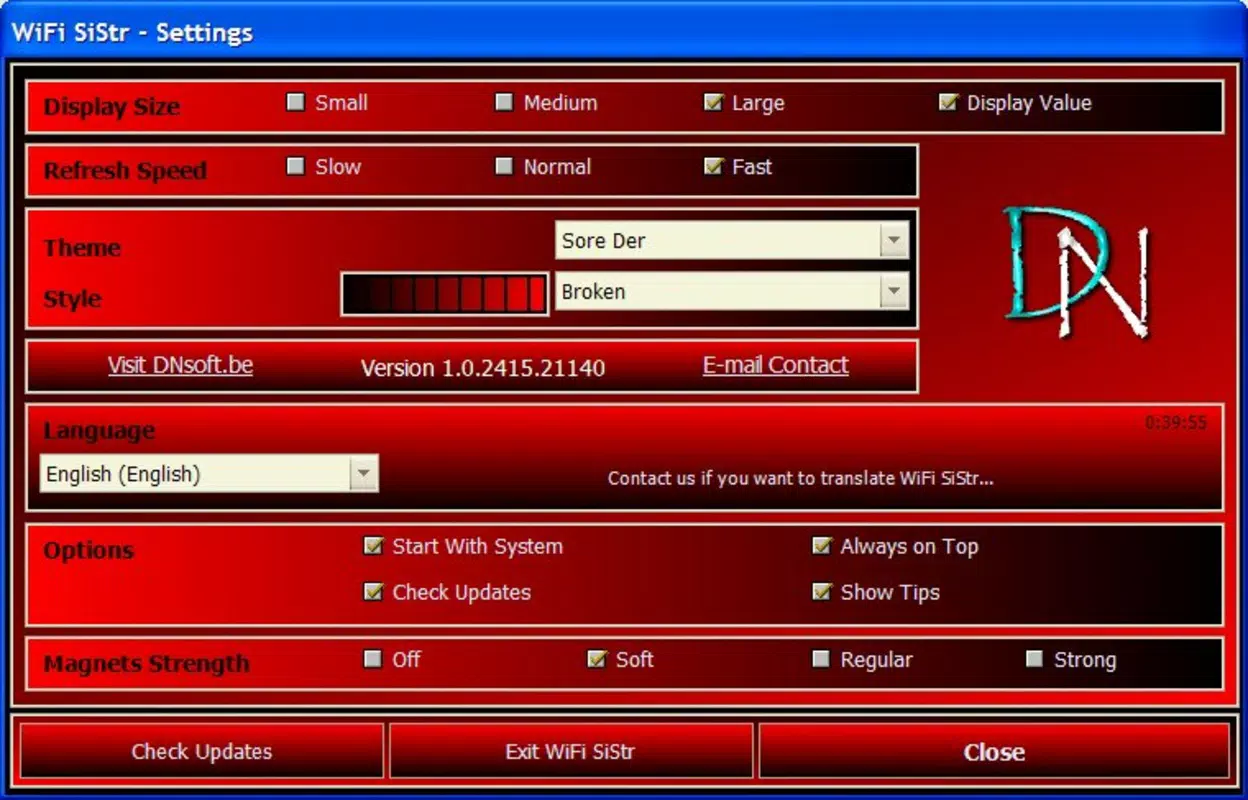
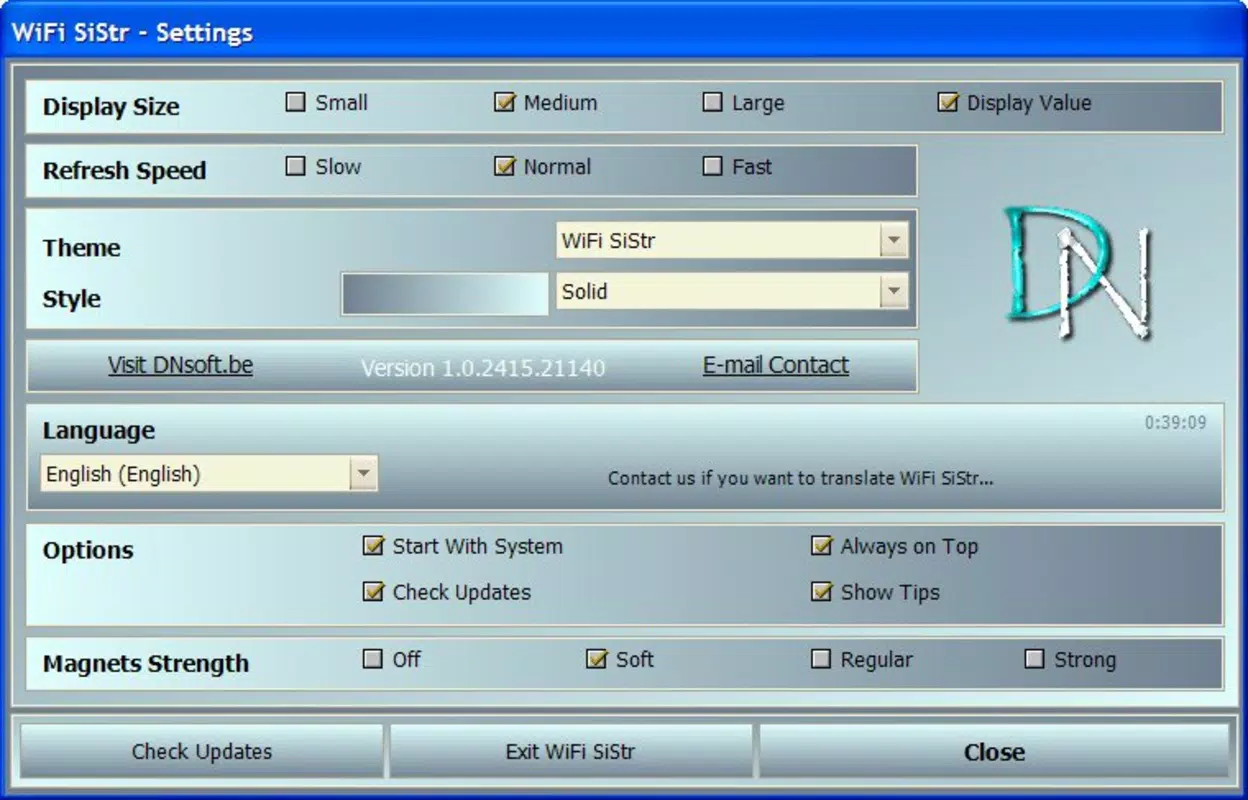
- Accessible Settings via Right-Click: A simple right-click on the status bar opens the settings menu, enabling quick adjustments to display preferences or monitoring behavior. This intuitive access reduces friction and enhances usability.
- Lightweight Operation: Designed to consume minimal system resources, WiFi SiStr runs efficiently in the background without impacting device performance. This ensures it remains active without draining battery or slowing down other applications.
- Connectivity Troubleshooting Aid: By offering immediate insight into signal quality, the app helps users determine whether poor network performance is due to weak signal strength. This can guide decisions such as relocating closer to the router or switching networks.
For example, a remote worker experiencing lag during video calls can use WiFi SiStr to verify whether signal strength is the root cause. Similarly, a student in a crowded dormitory might use the app to find the optimal spot for a stable connection. The app’s simplicity ensures it remains effective across various real-world scenarios without requiring technical expertise.
Interface, UX & Performance
The user interface of WiFi SiStr is intentionally minimal, focusing on clarity and functionality. The primary visual element is a status bar that displays signal strength, with the ability to customize its position on the screen. The layout avoids clutter, prioritizing readability and ease of access. Navigation is streamlined—users interact directly with the status bar, which serves as both the display and control point.
Although the developer did not list formal performance metrics, the app’s lightweight design suggests efficient resource management. It is expected to operate smoothly across a range of device categories, from older smartphones to newer models, without causing lag or excessive battery drain. The responsiveness of the interface appears consistent, with real-time updates reflecting signal changes promptly.
Stability is a key strength of the app, particularly given its long-standing presence since 2007. The absence of complex features reduces the likelihood of crashes or bugs. Users can expect consistent performance over time, making it a reliable tool for ongoing monitoring. The app’s design supports accessibility by keeping interactions simple and predictable, which benefits users who prefer straightforward tools over feature-heavy alternatives.
Platform Compatibility & Technical Requirements
WiFi SiStr is available on Android, as indicated by its historical release and typical utility app distribution. The app’s file size is listed as 358KB, indicating a compact footprint that aligns with its lightweight nature. The software version is 1.0.1, suggesting a mature but stable release with minimal changes over time.
The developer did not specify minimum OS requirements or compatibility details beyond the platform. As such, users should verify whether the app supports their current Android version. Compatibility information was not fully disclosed, so installation on newer devices may require caution. The app’s small size and low resource usage imply it could function on older devices, but official support details remain unclear.
Pros and Cons
- Simple, focused functionality for real-time signal monitoring
- Customizable position for the status bar to suit user preferences
- Minimal system resource usage ensures smooth background operation
- Easy access to settings via right-click on the status bar
- Effective for diagnosing connectivity issues without additional tools
- Developer did not provide detailed technical specifications or OS requirements
- App lacks advanced features like network history or signal logging
- Compatibility with newer Android versions is not confirmed
- Interface is basic and may not appeal to users seeking modern design
- No in-app updates or automated version checks are indicated
FAQ
Is WiFi SiStr safe to install on my device?
Yes, the app is designed as a lightweight utility with no known security risks. It does not request sensitive permissions and operates within standard system constraints.
Can I use WiFi SiStr on iOS devices?
Based on available information, WiFi SiStr is currently only available for Android. There is no official iOS version listed.
Does WiFi SiStr require internet access to function?
No, the app monitors local Wi-Fi signal strength and does not need an active internet connection to operate.
How often does the signal strength update?
The app provides real-time updates, continuously reflecting changes in Wi-Fi signal intensity as they occur.
Can I remove the status bar after using the app?
Yes, the status bar can be hidden or repositioned through the settings menu accessed via right-click.
Final Thoughts + CTA
WiFi SiStr stands out in a crowded app market by delivering a single, well-executed function with precision. Its minimalist design, real-time monitoring, and low system impact make it a reliable companion for anyone needing to assess Wi-Fi signal quality on the go. While it lacks modern features like analytics or automation, its simplicity is its greatest strength—offering clarity without complexity.
Remote workers, students, and tech enthusiasts who value transparency in their network performance will find the app highly useful. It serves as a practical diagnostic tool that helps users make informed decisions about their connectivity environment. For those seeking a secure, lightweight, and dependable way to monitor Wi-Fi strength, WiFi SiStr remains a compelling choice.
Download WiFi SiStr now


